Sunday, March 29, 2015


2015 INTERACTIV TECHNOLOGY CONFERENCE: affordable, informational technology conference for teachers during summer:

Stacks Image 1103

Sunday, September 15, 2013

Prezi with highlights of Section's IPLC (Thanks to Jill Ruland).

Tuesday, June 18, 2013

Interactiv Conference & Technology Academy
Keynote: Kevin Honeycutt
Great Honeycutt Quotes from Keynote Address:
Teaching is non-invasive brain surgery.
Students are writing their "digital legacy" with each keystroke. Are we guiding them?
If you make me come in the door, I'll fail. If I can come in the window - I'll be in and bring extra stuff.
Previous generations learned to "know" and then applied it to a particular job for 30 years. This generation needs to learn to "love to learn" for a lifetime.
That's all (some students) want - a 2nd shot or a 3rd shot...without embarrassment.

Sunday, December 23, 2012


SLATE 2012 LIVE TWEET EXPERIENCE


BACKGROUND


After completing AWSD and WASDA’s Amplified Administrators course taught by Brad Saron, I was excited about the culminating activity -  attending the 2012 Wisconsin SLATE convention and using Twitter to “live tweet” the convention with our hashtag: #ampedadmin.   Previously our class had spent a great deal of time creating accounts and learning how to navigate Twitter. We mined educational sites and set-up feeds using Google Reader and would tweet out items of interest to fellow class members at our leisure.

However, that was all in slow motion. I had not yet had the experience of trying to “live tweet” from a conference.  Nor did I understand what should be tweeted or how this was to be done in real time.  

I decided to “practice”.

A LEARNING CURVE


In early November, I was attending a “Convening Conference” sponsored by The Institute at CESA 1. They announced that the conference could be “live tweeted” using the hashtag  #C12012. I decided this was my opportunity. I usually use my computer to take notes, so I had a word document open. I decided to open Twitter on another tab. I navigated to #C12012 and saw that some people started tweeting the obligatory “Excited to be at…”, so I checked in with my bland “I’m here at the conference, too” statement, whatever it was, still not sure why anyone cared.

As the keynote speaker began, I noticed a number of people tweeting out some of the main points that were being made. Being a novice, I had a hard time juggling. When I heard something profound, I would diligently type it into twitter. But by the time I had reduced it to the 140 characters and included the hashtags, I had missed a ton of what the speaker was saying and seemed to be out of step with my tweets. I noticed there was a particular tweeter that seemed spot on and always beat me to the “tweet” with something more profound than I was going to offer. Meanwhile, I had lost some important points that I wanted to get down in my notes for further reference. After a bit of fumbling, it hit me. I still wanted to take some notes on my word document, but this would also provide an excellent source for me to quickly cut and paste items of interest into a “tweet”. I found this practice to work. I was less concerned about “getting something into twitter” and more at ease with the mechanics of going from one source to another. It still was a little overwhelming trying to keep up with the Twitter feeds, but I noticed that if I missed something that I wanted to quickly jot down, it was likely that someone would put it in a tweet within a minute or so. I was "getting" how this could be a source of “community notes” about the event.

TWEETING at SLATE 2012


Armed with my newfound technique, I was excited to be at SLATE and to get into the “buzz” of the twittersphere. I still liked the idea of having notes about things that I found important, but wanted to know what other people thought was important, too.

Logging into #SLATE2012, I found a number of classmates who had “checked in”. At this conference of over 500 people, I immediately felt as though I was with a number of friends, even though I had not actually seen any of them yet.  It was interesting to read the tweets during the keynote presentations, as we were all hearing the same thing but commenting from our own perspectives. Equally interesting was during the break-out sessions. I could gather information from a number of different sessions beyond the one I was attending based on the tweets being sent out by others. It was amazing how much more information I was able to come away with than I had been able to at other conferences I had attending without tweeting.  I felt much more like a participant.

There were a number of important things that I experienced due to “live tweeting” at this conference.

-          Access to resources – Speakers often talked about certain resources during presentations. Invariably, someone would tweet out a link to the resource the speaker was talking about. I found many useful links this way and also found myself “Googling” sources and tweeting them out for other people.
(Example tweets: Julie Mathiesen talking about free on-line textbook resources http://www.ck12.org/  #slate2012 #ampedadmin, WI Digital Learning Day - Feb 6 https://sites.google.com/a/dpi.wi.gov/wisconsin-digital-learning-day/ …#slate2012 #ampedadmin)

-          Better resources than the presenter – In some cases, issues that the audience had brought up were addressed better by tweets from the audience than by what the presenter was able to offer.  This truly shows the power of a network. Obviously, presenters are prepared for certain things and can easily be put on the spot if questions go in a different direction. However, audience participants have vast expereinces and resources that can be easily shared through this format.

-          Learning about people’s passions – It was exciting to see what drew the interest of the crowd and whether it matched what I was thinking. Here was a tweet that was sent both by me and one of my classmates:  Ruston Hurley: “You have my permission to innovate WILDLY

-          Colleagues at home “watching” – A number of teachers in the district weren’t able to attend SLATE 2012, but said they’d be “following the conference on Twitter”. It was interesting to know that they were able to experience the conference in some way, even without attending. I was also able to dialog with them about it upon my return. 


A FINAL CONNECTION


I came away feeling particularly appreciative of the skills I learned in the Amplified Administrator class and especially connected to “live tweeting” by my experience during a presentation by Julie Mathiesen. She was listing and describing “Load-Bearing Walls of Education”. I found these interesting and was copying them into my notes. Periodically, I’d check back in Twitter to see what was being said about this presentation. One of the tweets asked, “Did anyone get Julie’s Load-Bearing Walls list?” I had just typed them into a word document, but knew it was more than the 140 character limit on Twitter. In class, we had learned how to “blog” and had created our own “blogpages”. I quickly created a blog of Julie Mathiesen’s – Load-Bearing Walls of Education and tweeted my blogpage out to #SLATE2012. Sure enough, within minutes of asking, this conference participant who had requested this information had it at her fingertips and responded with a generous thank you tweet. I felt content in knowing that I was beginning to understand and experience richer learning opportunities through Professional Learning Networks and the use of technology.


Tuesday, December 4, 2012

Technology and the Common Core: What is Wisconsin DPI Working on Right Now?

What is DPI working on right now?

 - Agenda 2017 supports digital learning, innovation and career and college readiness
 - Wisconsin Digital Learning Plan
 - Wisconsin Digital Learning Advisory
 - WISELearn digital learning repository (maybe connected to Smarter Balanced Assessment)
 - Open Education Resource Project
 - National collaboration on search meta-tagging project for effective searching
 - Keyboarding and computational skill awareness to meet increased technology demands of all grades
 - Vetting resources for alignment with Common Core State Standards and coordinate state efforts for implementation of quality learning materials
 - WI Digital Learning Day Activities

Julie Mathiesen's Load-Bearing Walls of Education

Weight Bearing Walls for Tinkering with Transformation: 
• Grade Levels
• Courses/Curriculum
• Class Periods/Bell Schedule
• Students assigned to Classrooms
• Textbooks
• ABC Grading System/Student Evaluation
• Learning Happens in Schools/Space
• Learning Happens in nine Months/Time
• Report Cards/Informing Parents
• Paper and Pencil Orientation

Which load bearing walls can we change, shift, substitute, eliminate?

Tuesday, November 27, 2012

Pranav Mistry: The thrilling potential of SixthSense technology


Source: http://www.ted.com/talks/pranav_mistry_the_thrilling_potential_of_sixthsense_technology.html

Wednesday, October 31, 2012

History in a Minute


http://revision3.com/melodysheep/ourstoryin1minute via Melody Sheep

How do the attributes of the "Connected Educator” 
relate to the characteristics of the PLC?

Being “connected” is all about developing a Personal Learning Network (PLN) which informs your Professional Learning Community (PLC). The "Connected Educator" creates a PLN that provides pathways for: seeking out, following, sharing with, contributing to, and relying on groups that have common interests.

“Education” loosely defines the common interest that we as educators share, however, there are many aspects of education which might be one’s focus at any given time (i.e., organizational culture, curricula, materials, learning styles, technology applications, research, assessments, etc.). The importance of developing a PLN is that this network webs in many directions allowing one to make connections with those interested in the specific component about which information is desired at that moment. Each member of the PLN brings unique experiences and interests which allows connections to be made based on these. One is able to tap into and explore rich resources that others bring to the table due to their own interests or experiences on the topic. The more “connected” an individual becomes, the more likely there are people somewhere in the network who have knowledge, understanding and experience with a given topic in which an individual finds him or herself interested or in need of information.

Being a “contributor” to the conversation is the best way to develop this network. Sharing of one’s own ideas, opinions, experiences and resources helps others who are looking for this type of information.  If one is contributing, this individual is being noticed by others in the group and is more likely to be “followed”. Creating followers and following others builds the PLN, thus opening one up to a larger base of contributors.  A “connected educator” should desire to build an extensive Personal Learning Network in order to have ready access to those with common experiences. This will allow the individual to both validate their own experiences and grow from suggestions provided by others in similar situations or with related knowledge.

Saturday, October 6, 2012

Common Mistakes When Forming PLCs

Unable to display content. Adobe Flash is required.
Hat Tip to: http://www.weareteachers.com
Are you a tech savvy educator? 
Check how many of the top 100 Tools for Learning you are aware of?


 Tools for Learning 2012 from Jane Hart

Friday, October 5, 2012

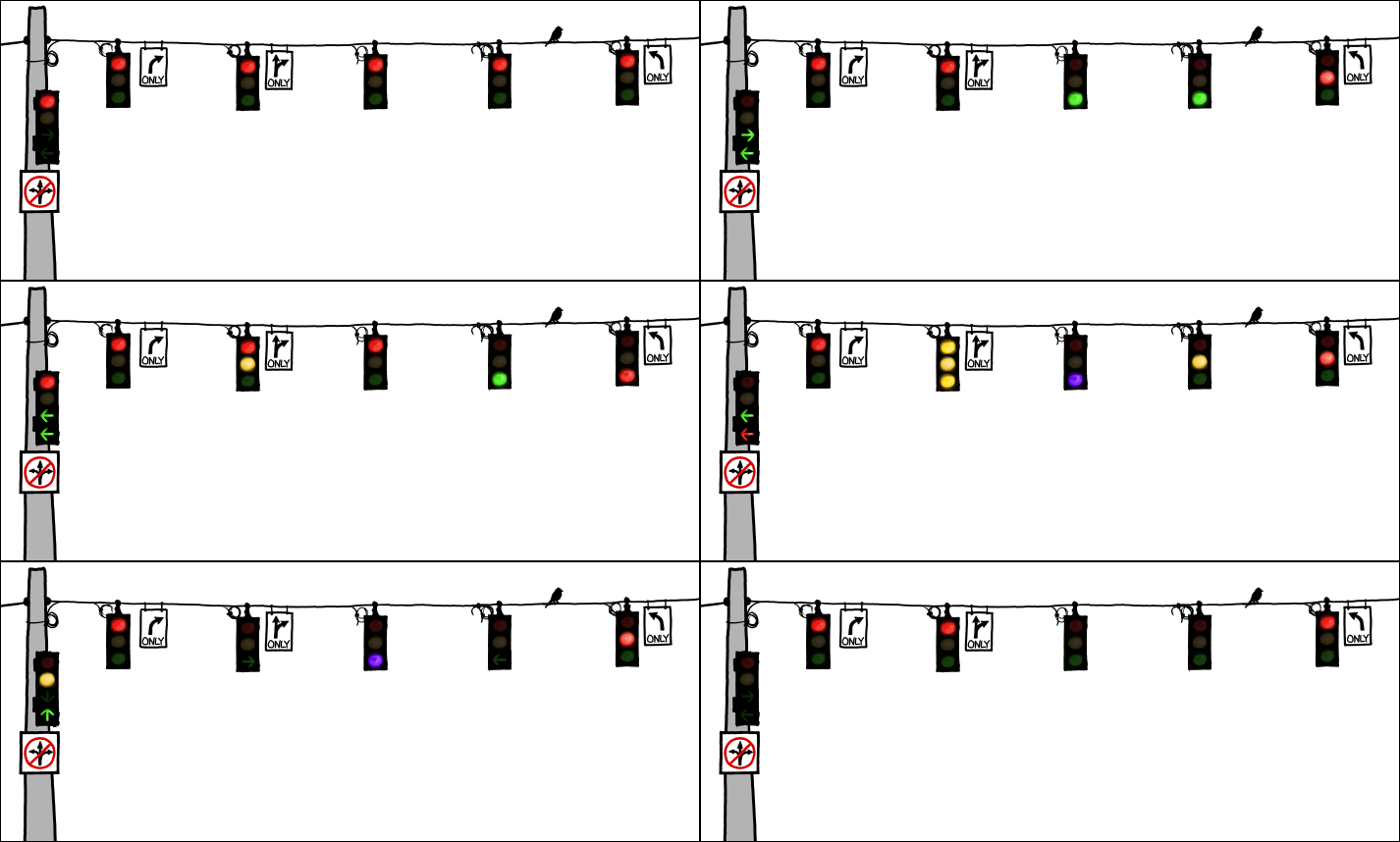
Education Initiative Traffic Control Center


Stay in Appropriate Lane and Obey Your Signal 
Lane One - RtI Highway
Lane Two - 21st Century Way
Lane Three - Race to the Top Raceway
Lane Four - Personalized Learning Lane
Lane Five -  WISEdash Way
Lane Six - Assessment Alley
Lane Seven - Move to Lane One

Sunday, September 16, 2012

 In The Connected Educator, Learning and Leading in a Digital Age, Sheryl Nussbaum-Beach and Lani Ritter Hall have created a haven for educators trying to envision technology use in the classroom beyond "acquiring hardware" and "learning how to operate computer programs".

"Technology offers constant opportunities for self-directed and self-selected learning. Educators -through connections with each other, new research, and continually evolving content - have opportunities to interact, reflect, and focus without control by experts."

This book has opened my eyes to how technology can provide professional learning through "connections", in contrast to simply providing easy access to "content". It also helps me understand how traditional "staff development" must evolve past "sit and get" and into - self-directed and connected - exploring, sharing, and learning.

The authors describe three components in this new view of learning with and from colleagues: Professional Learning Communities (PLC), Personal Learning Networks (PLN), and Communities of Practice (CoP).

Professional Learning Communities (PLC)

- Local community
- Team focused
- Traditional school-based structures
- Teachers and administrators learn together
- Focus on specific, identified needs of the school/student
- Identifying what works for their students
- Distributed leadership
- Technology tools may be used to connect/collaborate
- Might create a digital footprint for the school showing growth and change

I see the importance of this approach and have worked hard to promote and support PLCs in my building. Recent examples include: a) teams for data analysis and establishment of goals for the school,  b) teacher participation in book studies about inquiry-based learning and reading and writing connections in the classroom to transform their own teaching practices, and c) teachers working in grade level teams to learn about and implement RtI practices. The collegiality and professional growth of the teachers in all of these instances has been spectacular!

Personalized Learning Network (PLN)

"Connected learning is understanding the power of collaborating and acting collectively...But most importantly, connected learning is about building professional networks to help you, throughout your professional career, reflect deeply and prod others to do the same."

- Global world-wide network 
- Individual focused
- Designed by individual to further short- and long-range goals
- Gathering of information and sharing of resources
- Self-directed
- Technology used to connect globally, monitor constantly changing information
- Must master use of digital tools
- Exposed to a great deal of thoughts and ideas

This semester a group of interested teachers in my school will begin to build Personalized Learning Networks by exploring Web 2.0 tools that can be of use in their classrooms. The teachers will learn the use of Diigo and Symbaloo for archiving and sharing useful information about Web 2.0 tools. This approach barely scratches the surface of establishing a PLN, however, it will serve as an introduction into Internet searching and the sharing of resources through social media. It is "dipping ones toes" in the ever growing stream of free resources and interactions available and applicable to any learning community.

Communities of Practice (CoP)

- On-line, global diverse community
- Like-minded individuals with shared domain of interest
- Deepen understandings and interact on an on-going basis
- Systems of collective critical inquiry
- Reflection based on the building of a shared identity
- Collective intelligence developed over time
- Shared domain of interest
- Collective competence among equals who are skillful and talented
- Shared practice or common sense of purpose
- Sustained practitioners.
- Reject the expectation that teachers (or students) will acquire the same body of knowledge at the same time
- Sum of collected knowledge is greater than the sum of individual knowledge
- Move beyond tasks and data interpretation
- Knowledge construction "in a group"

Admittedly, I am in the exploration stages of being "a Connected Educator" and have not reached the CoP level in my journey, YET!

It is certainly intriguing to be heading in this direction. But, it also seems overwhelming both in terms of learning how a community such as this spawns and evolves and in terms of committing the time (and acquiring the confidence) needed to contribute and help nurture this type to the community. I wonder how those "steady contributors" find the time in between all the daily demands of the school day and commitment to family and life outside of work?

My first thoughts about the power of networks and communities were very pragmatic. What "sites" or "tools" are available to pass on to teachers that will be of use in their classrooms. I know this is extremely important to teachers. They need to have things that can be put to use Monday morning. As I have begun to explore and develop a PLN, I am seeing larger issues discussed and questions raised that help formulate thought about education as a whole - deeper insights about the complex world of education and the constant need to adapt, adjust and explore. This is professionally stimulating, beyond the tasks required to get through the day.

A hurdle that I must overcome is the idea that I have to keep up with everything that I start to follow. The information and dialog fly by in a constant stream. I need to learn how to "dip" into it from time to time and "net" useful information as it passes, instead of thinking I can keep up with the constant flood. I know that I will be missing information as my Google Reader advertises the hundreds of data tid-bids of those I've chosen to "follow". However, I am able to conduct searches and consult with colleagues using social media to help with information on an "as needed" or "now desired" basis.

In the past I would read, copy, and save articles or parts of books and retrieve information based on files, folders and piles of accumulating paper. The actual task of warehousing these physical materials at times became daunting.  However, I am learning how to explore electronic media and tag articles using programs such as Diigo which allow me to archive and share at the same time.  Access is quite literally at ones fingertips and amazingly simple to share with others having similar interests.

With each week that passes, my understanding of social media deepens. Finding and gathering information becomes easier and connecting with others and posting thoughts and ideas becomes less frightening. It is invigorating to explore RSS feeds, Web 2.0 tools, blogs, and tweets of fellow professionals excited about and committed to education. If not yet a full-fledged "Connected Educator", I am certainly a "Connecting Educator".